My primary 2d software for art is PD Howler. (www.PDHowler.com)

I have been using it since 2003 (as far as I have record of, maybe a little before that), back when it was just a little painting program called "Dogwaffle" "the (un)natural paint program. I had been looking for both, a replacement to an older program called PhotoStyler (which as far as I can tell had been bought up by Adobe pre-millennial.) AND being a mostly traditional artist, I was also looking for an inexpensive way to learn digital art that mimicked traditional art. I had found Corel Paint....but no way could I afford that!, so kept looking and that is where I found Dogwaffle, which was free! So, I started learning it, using it and loving it!
It stayed free up to version 3, and there were still so many things to learn with it (I still hadn't figured out how to do oils and watercolors with it yet!), so I just kept up with it, and it was the ONLY 2d software I was using, except for Irfanview for viewing, resizing, printing. The author took a sabbatical for a few years, but other than checking occasionally, I just continued along my little way, enjoying the program. I was still pretty involved with traditional art at this time (colored pencil and pen/ink and graphite). I had stayed involved with the YahooGroups for Dogwaffle as well, so I could ask for help from other users, or give help, as I got better with it.
When he started working on it again, the name became, Project Dogwaffle Professional 4.0 or PD Pro 4. I was enthusiastic! I pulled together the money and bought the upgrade! (It was a lot of money for us at the time, but, a fantastic price in comparison to other packages at that time. And I continued learning and helping and just being active in the group. And because I had remained busy and helpful in the group, I was eventually asked to be a beta tester! That was super exciting!
So, I helped squash bugs, and made suggestions on new functions or upgrades to old functions, and started submitting my own brushes that I had created to the project. And while my name isn't on them, I still know which ones I created and am proud to have them in the program! And I have hundreds of brushes of my own that I never sent for inclusion.
Well, when it was time for another big overhaul, the name changed again, now to PD Howler. (project dogwaffle forever more an initial set, but there nevertheless!). And over the years it has had versions 7,8,9,10, 11, 2020, 2021, 2022 and now 2023. And I've still been beta testing and still it is my primary 2d software. There have been spin-offs over the years, PD Artist, which didn't have the animation suite. I started my YouTube channel about this time to try to help people learn the basics in an easy bite-sized manner, rather than the official channel's fire-hose of information!
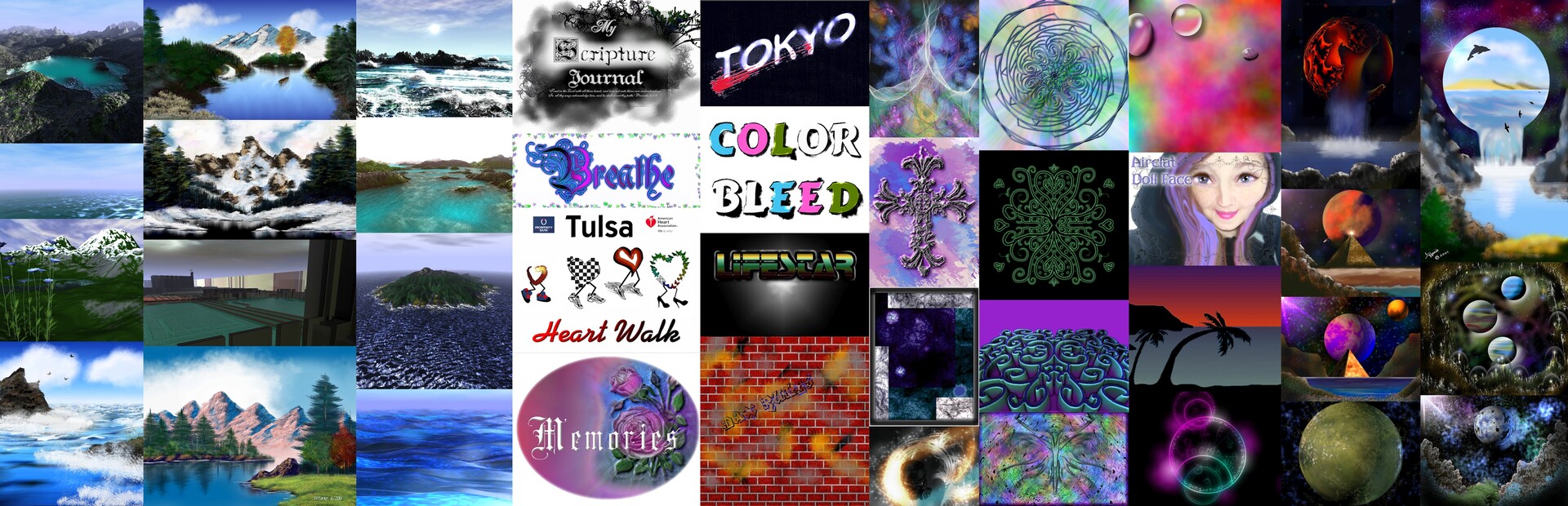
Some 3d capabilities have entered that allow cool landscape creation, there has always been animation. Of course there are filters, and even a lua browser and notepad in-built for writing your own filters! There are a special kind of layers, they are only opaque in certain modes, the rest of the time they act like "glazes" altering the image below them (much like PS and other programs use their specialty layer modes.) There are Mirrors both horizontal and vertical and there is a kaleidoscope! great for making mandalas! Lens flares, novas, and lightning are in-built. You can create planets with spherize, including the lighting of sun and moon. You can make cities in "3d". You can make 3d obj and export them or texture and light them right in the program. Patterns and papers, Mandelbrot's, breakout near-vector drawings and special effects that can be applied directly to a brush as you paint or draw. The natural media brushes are nearly unparalleled! You can render skies and clouds and starfields. There are particles, and orbicals and bristles that respond directly to the mouse or pen tablet, There are "grow your own" trees and bushes. And much more, and of course there are brushes! So many brushes! different kinds of brushes! And dynamics on those brushes! And you can even take pngs of PS or GIMP brushes (or just pngs) and create brushes that you can then add dynamics to! There are so many things that I haven't covered here. Any time I would find a video of something like "Spray-painting" (with it's great 80's vibes) I would give it a try in Howler, and while not perfect, I could certainly do something similar! And then I decided it was time to try hand painting landscapes. So, I started watching Bob Ross, and then I started following along with Howler...And now, I make Landscapes that people can't tell are not oils! (One day I'll sit down with watercolor vids and books and figure that out, too!) I've done textures for 3d assets that I sell at Renderosity (used to sell at HiveWire3d) and have for free on ShareCG. I hope to get into Daz one day. And to sell things here on ArtStation, as well.
I cannot wax poetical enough about PD Howler! In my gallery, probably 95% of the images have at least been touched by PD Howler, I do all my post work in it. AND there are so many things that I still haven't learned how to do very well in it! (like animation!) and there are new things being added, things being overhauled, as well!
The price is amazing, even at full price, You can get early-access beta for about 1/2 price and there are often sales and upgrades are always discounted.
I hope you try out my favorite little program, sometime. I'm not an affiliate, I don't make anything from advertising, I just love it and want to share the love!
You can find it at the official site:
www.pdhowler.com
And
thebest3d.com
Or older versions and PD Artist at Daz3d.com
There is an official facebook page (PD Howler-Project Dogwaffle)
Or my forum on MeWe.com - Digital Art Creations (all kinds of digital art software allowed)
Or there are forum threads at Daz and HiveWire3d (community forums are still open, even if the store isn't)
Thanks for reading, and I hope you've learned a little bit more about my favorite software!